
diff options
| author | Eltrac <hi@guhub.cn> | 2025-10-20 23:46:25 +0800 |
|---|---|---|
| committer | Eltrac <hi@guhub.cn> | 2025-10-20 23:46:25 +0800 |
| commit | 4a2cebc52f0488a3823f2d87a45c6a946a0be12c (patch) | |
| tree | 7f15d4a685f1576949d109f5ef725f01d320662c /content/posts/weekly | |
| parent | 9db4594cbc308a30c40d5787f21fa6659a18cf92 (diff) | |
docs: new draft
Former-commit-id: 74600de4eac46aabefb2bdb980075c44ae4eb9e4
Diffstat (limited to 'content/posts/weekly')
| -rw-r--r-- | content/posts/weekly/52.md | 41 |
1 files changed, 41 insertions, 0 deletions
diff --git a/content/posts/weekly/52.md b/content/posts/weekly/52.md new file mode 100644 index 00000000..ff144edd --- /dev/null +++ b/content/posts/weekly/52.md @@ -0,0 +1,41 @@ +--- +title: 稻草人周刊 Vol. 52 +subtitle: +tags: +categories: 稻草人周刊 +date: 2025-10-20T23:45:00 +draft: true +toc: true +--- +{{< music cover="https://image.guhub.cn/uPic/2025/10/The_Tortured_Poets_Department_The_Anthology.png" title="loml" artist="Taylor Swift" apple="https://music.apple.com/cn/album/loml/1742057774?i=1742058103" spotify="https://open.spotify.com/track/3YkNIrAvbKNrrwwEd7NVLl" >}} + +<!--more--> + +--- + +## ↯ · 当下 + +## ⋈︎ · 连接 + +## ⁂ · 星群 + +### Mole + +之前在[第 35 期周刊]()推荐过 [cleanmac](https://github.com/hkdobrev/cleanmac),一个用于清理 MacOS 系统的命令行工具,这个工具主打简洁,但简单到甚至要自己把脚本放到 `bin` 目录或者设置别名,而且界面也十分简陋。Mole 同样是一个免费、开源的 macOS 清理工具,同样是命令行,但界面要友好得多。我试了一下,在同一天早上还用 `cleanmac` 清理过系统的情况下,Mole 仍然帮我释放了 2 GB 左右的储存空间。 + +要使用的话,用 Homebrew 安装即可。 + +```shell +brew install tw93/tap/mole +``` + +除了系统清理,Mole 还提供 App 卸载和磁盘分析两个工具。App 卸载我一直用的是基于图形界面的 AppCleaner,磁盘分析用的是 DaisyDisk,如果 Mole 的这两个功能都足够好用的话,前两者就可以退休了。 + +可以通过执行 `mo` 来访问交互式菜单,或者直接输入 `mo clean`、`mo uninstall`、`mo analyze` 来访问对应的功能模块。 + +{{< gallery >}} +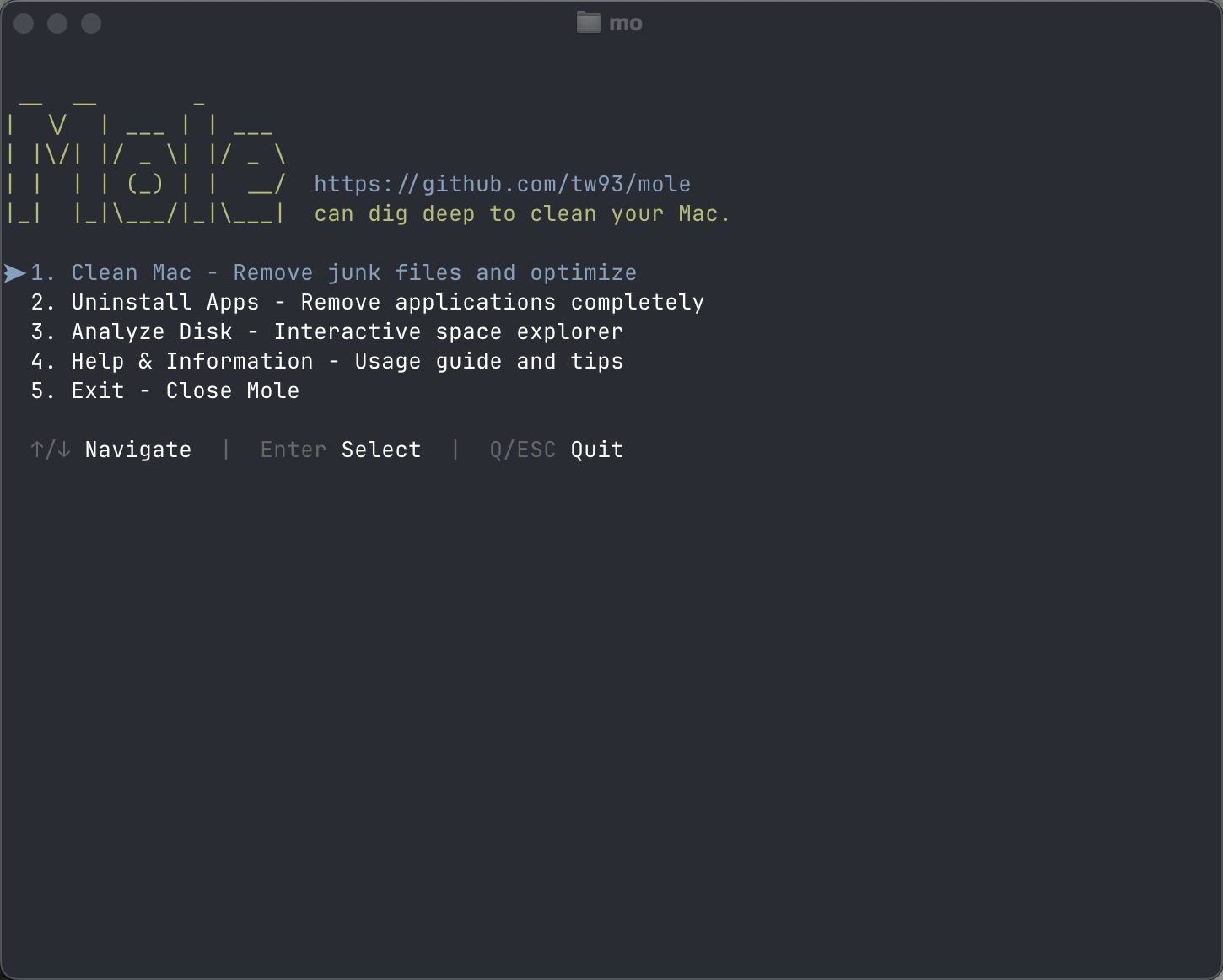 +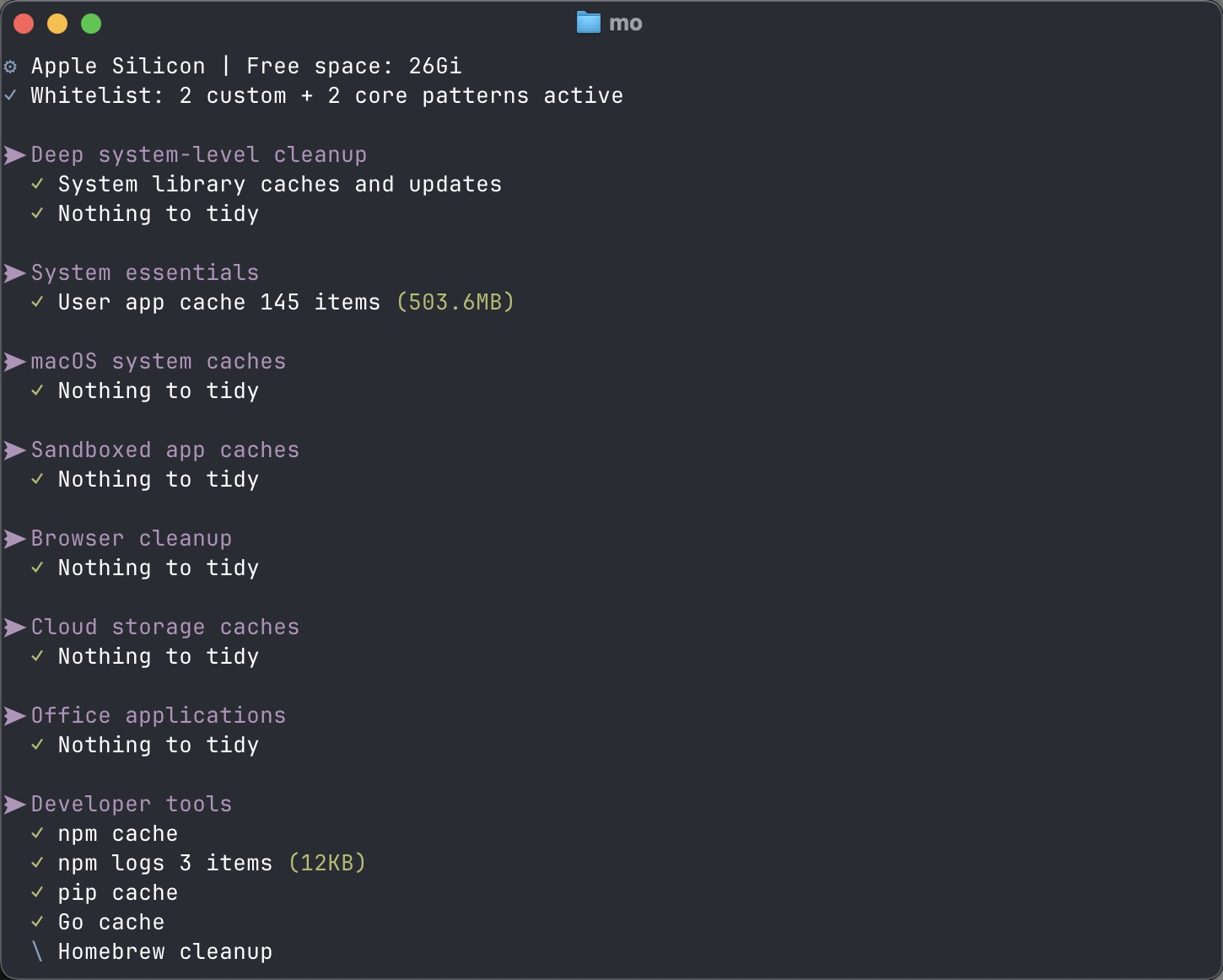 +{{</ gallery >}} + +访问:[GitHub - tw93/Mole: 🐹 Dig deep like a mole to clean you Mac. 像鼹鼠一样深入挖掘来清理你的 Mac](https://github.com/tw93/mole)
\ No newline at end of file |