
diff options
Diffstat (limited to 'content/posts/weekly')
| -rw-r--r-- | content/posts/weekly/42.md | 44 |
1 files changed, 29 insertions, 15 deletions
diff --git a/content/posts/weekly/42.md b/content/posts/weekly/42.md index f986c508..bb82b13b 100644 --- a/content/posts/weekly/42.md +++ b/content/posts/weekly/42.md @@ -10,23 +10,11 @@ banner: endnotes: [] --- -<iframe allow="autoplay *; encrypted-media *;" frameborder="0" height="150" style="width:100%;max-width:660px;overflow:hidden;background:transparent;" sandbox="allow-forms allow-popups allow-same-origin allow-scripts allow-storage-access-by-user-activation allow-top-navigation-by-user-activation" src="https://embed.music.apple.com/cn/album/all-i-ask-of-you-live-at-the-royal-albert-hall/1440805446?i=1440805597"></iframe> +<iframe allow="autoplay *; encrypted-media *;" frameborder="0" height="150" style="width:100%;max-width:660px;overflow:hidden;background:transparent;" sandbox="allow-forms allow-popups allow-same-origin allow-scripts allow-storage-access-by-user-activation allow-top-navigation-by-user-activation" src="https://embed.music.apple.com/cn/album/jealousy-jealousy/1560735414?i=1560735561"></iframe> -> Let me be your shelter +> I kinda wanna throw my phone across the room > -> Let me be your light -> -> You're safe, no one will find you -> -> Your fears are far behind you -> -> All I want is freedom -> -> A world with no more night -> -> And you, always beside me -> -> To hold me and to hide me +> 我有点想把手机砸到房间对面去 <!--more--> @@ -91,7 +79,33 @@ endnotes: [] ## ⁂ · 星群 +{{< callout "本周是命令行工具特辑。" "😉" >}} + +“只要学会了用命令行,鹦鹉也能假装自己是黑客。” + +### facad + +纯 C 语言编写,没有任何依赖,速度很快体积也很小的命令行工具,用更直观的方式列出目录内容。因为有 Emoji 图标所以能够很直观地分辨目录和文件,像 Git 配置文件 `.gitconfig` 也有自己的章鱼图标。 + +如果仅仅是需要在终端列出目录下的文件,可以用 `facad` 替代 `ls` 命令。 + +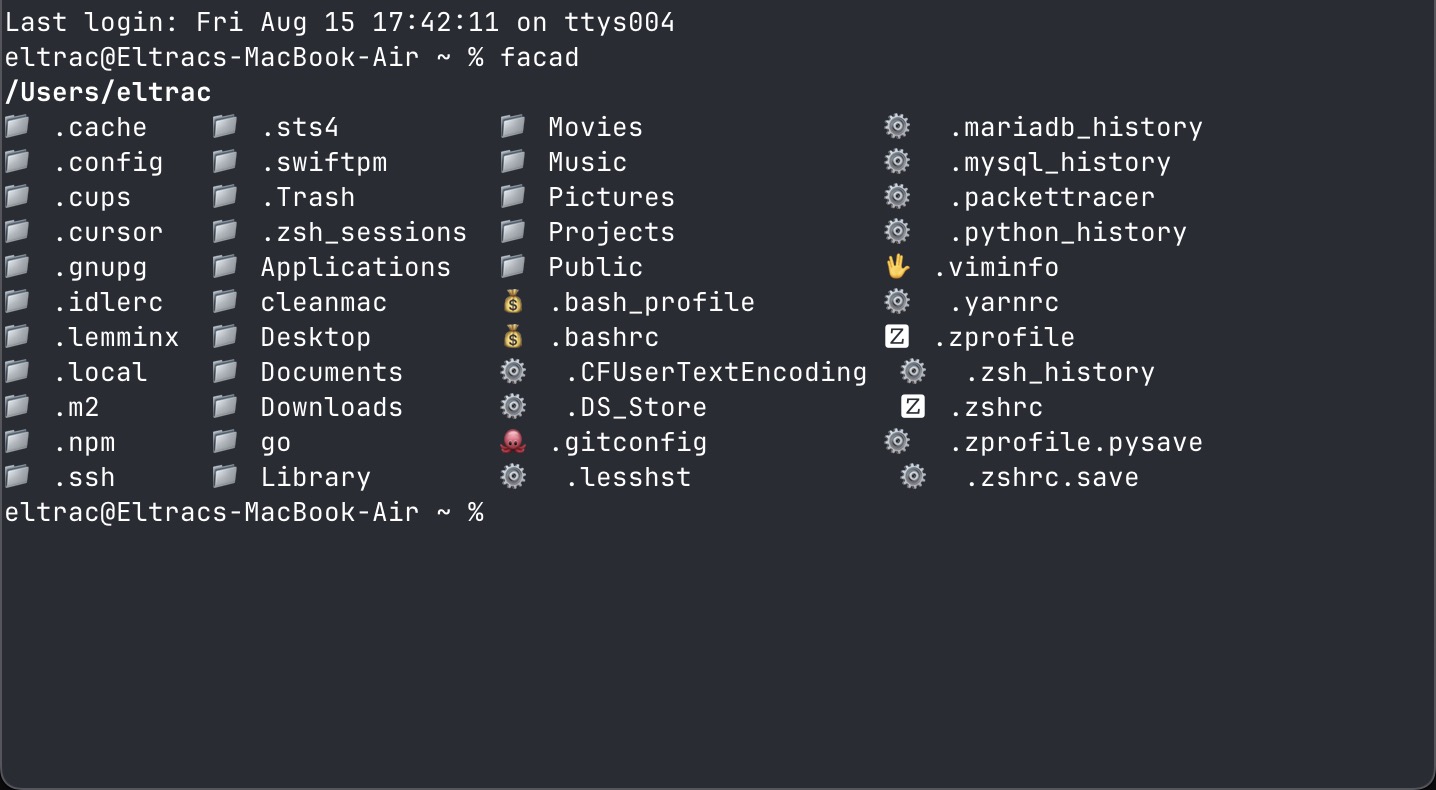 + +访问:[yellow-footed-honeyguide/facad](https://github.com/yellow-footed-honeyguide/facad) + +### dark-mode + +在命令行输入 `dark-mode` 即可切换 macOS 的浅色和深色模式。比起把鼠标移到右上角,点击控制中心,再点击显示器设置,然后再点击深色模式按钮,我宁愿用 Raycast 或者 Spotlight 打开终端,然后输入一串字符,全程不离开键盘。 + +访问:[sindresorhus/dark-mode](https://github.com/sindresorhus/dark-mode) + +### get-port + +网络工具,找到一个可用的端口。过于简单实用以至于不需要太多的介绍。 + +~~尽管我不太理解为什么要用 JavaScript 写命令行工具。 ~~ +访问:[sindresorhus/get-port-cli](https://github.com/sindresorhus/get-port-cli) ## ※ · 妙语 |